
The private sales app for craft fairs and markets.
Tap what you sold, cash or card. See what's left and your real profit after the pitch fee. No account, no ads, no cookies: your sales stay on your phone.
Open Market Day, freeSee how it worksRuns in your phone's browser: iPhone, Android, tablet or laptop. Nothing to install.
Everything you need at the stall, nothing you don't
Built for makers who sell at craft fairs, Christmas markets, farmers' markets and pop-ups.
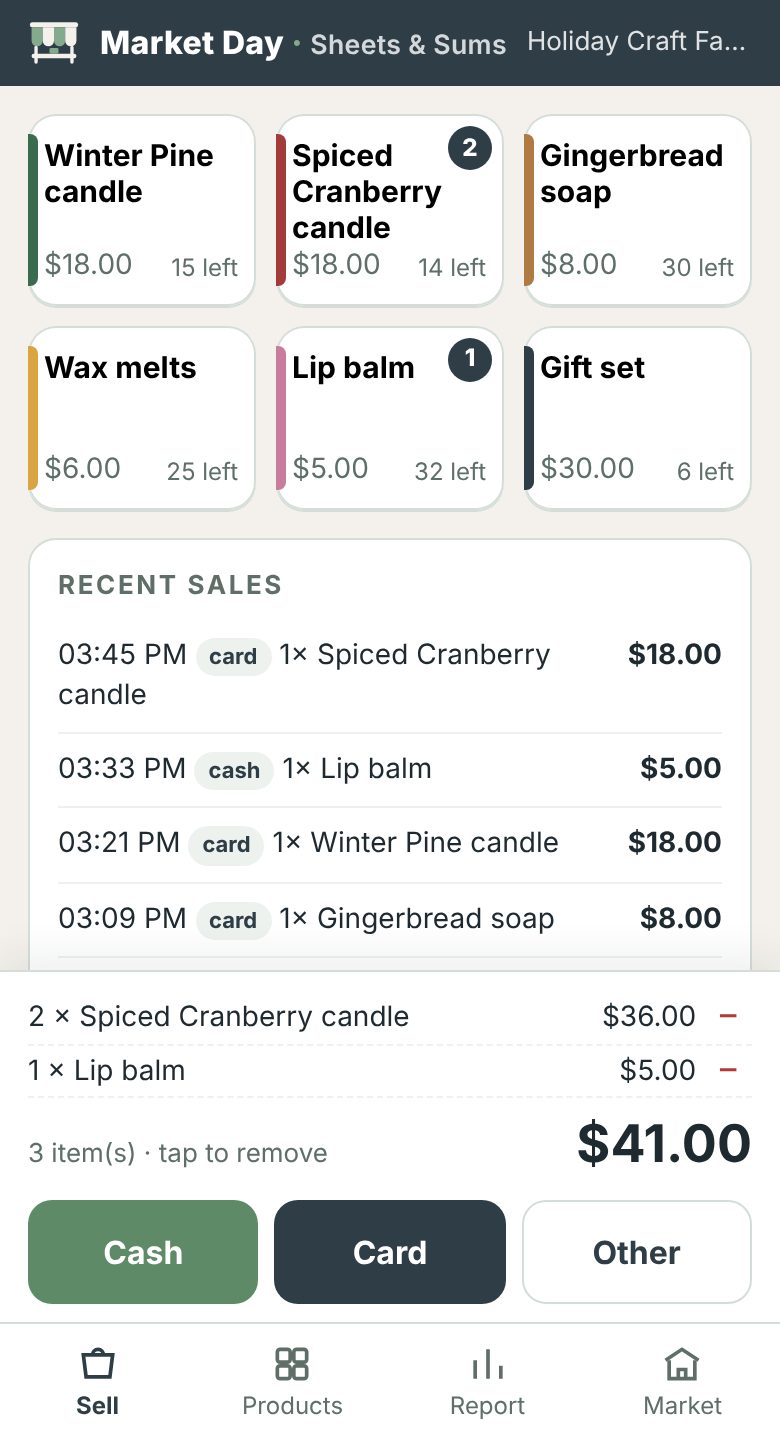
Sell in one tap
Big product buttons, a running cart and Cash, Card or Other. Undo the last sale if you tapped wrong.
Know the cash in your tin
Starting float plus cash sales, so you can count up at the end of the day in seconds.
Your real profit
Sales minus making costs, pitch fee, travel and card fees. Find out if the market was worth it.
Stock left, live
Enter how many you brought; Market Day counts down as you sell and flags what's running low.
Excel in and out
Set up products in Excel, Numbers or Google Sheets and import them. Save backups as Excel files.
Works without signal
Add it to your home screen and it opens like an app, also with no signal in a field or a church hall.
How it works
Three minutes before the market, one tap per sale during it, and a report when you pack up.
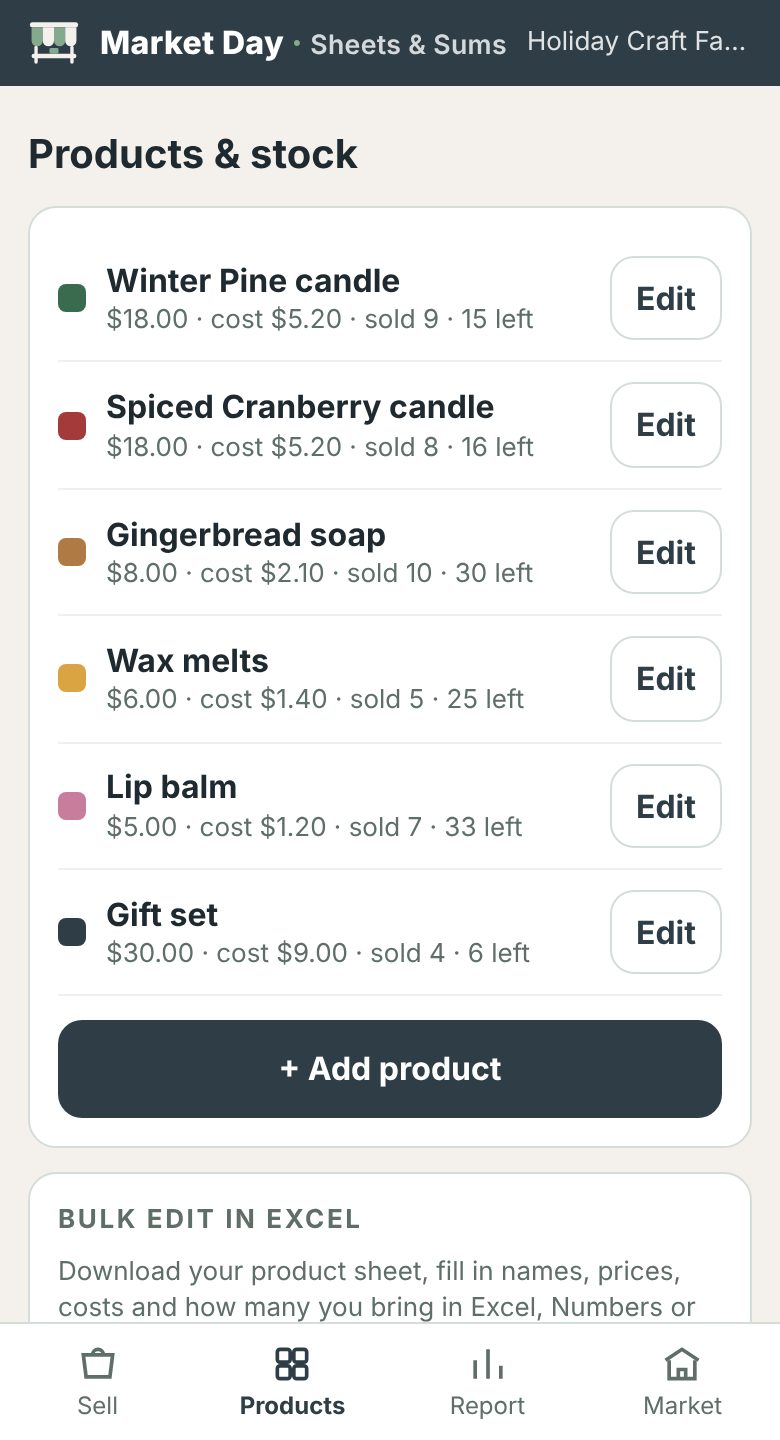 1. Add your products
Type them in, or import a product sheet from Excel with names, prices, costs and how many you're bringing.
2. Tap to sellTap the products, then Cash, Card or Other. Each sale is saved on your phone immediately.
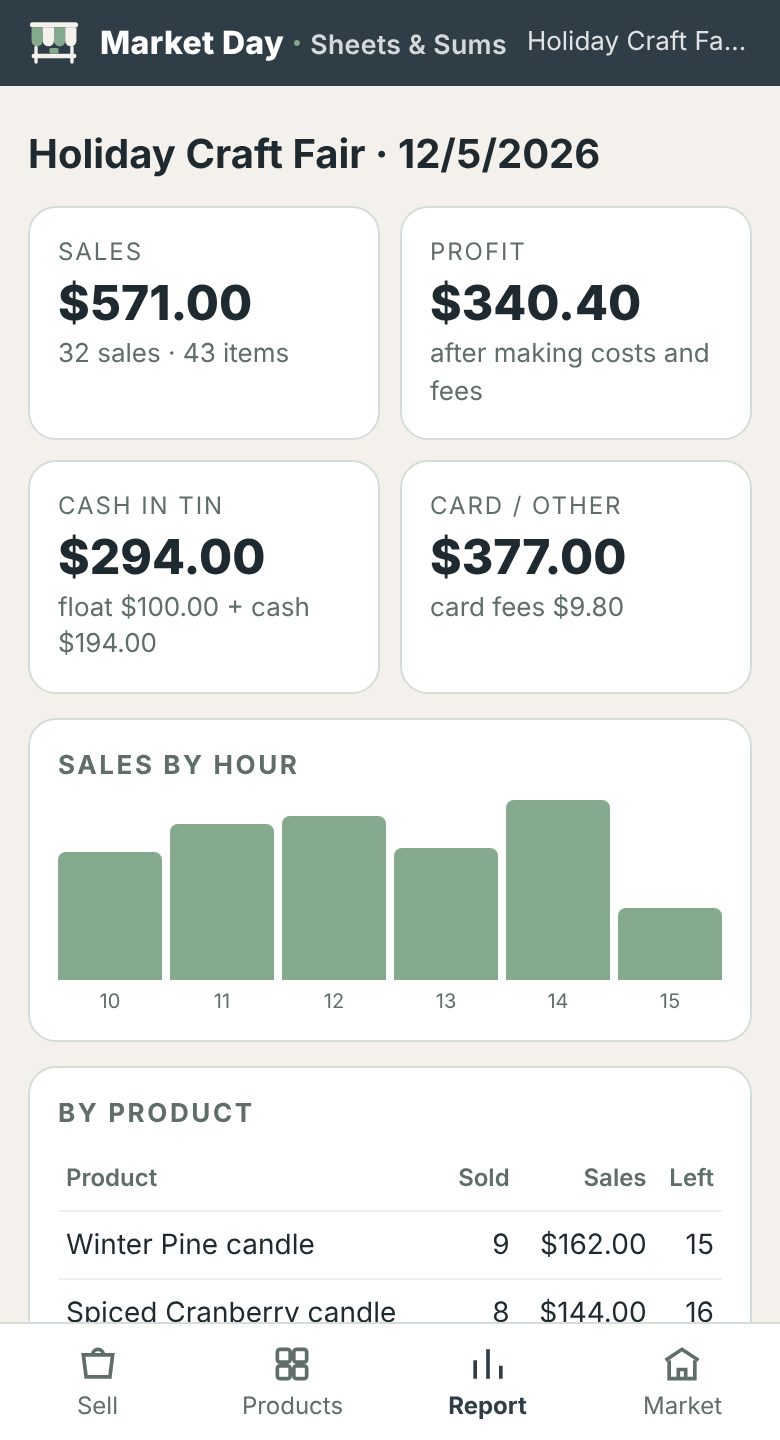 3. See your day
Sales, profit, cash in the tin, best sellers and your busiest hours. Export a CSV for your bookkeeping.
Your sales are your business. Literally.
Most sales apps want an account and keep your numbers on their servers. Market Day doesn't have a server for your data at all.
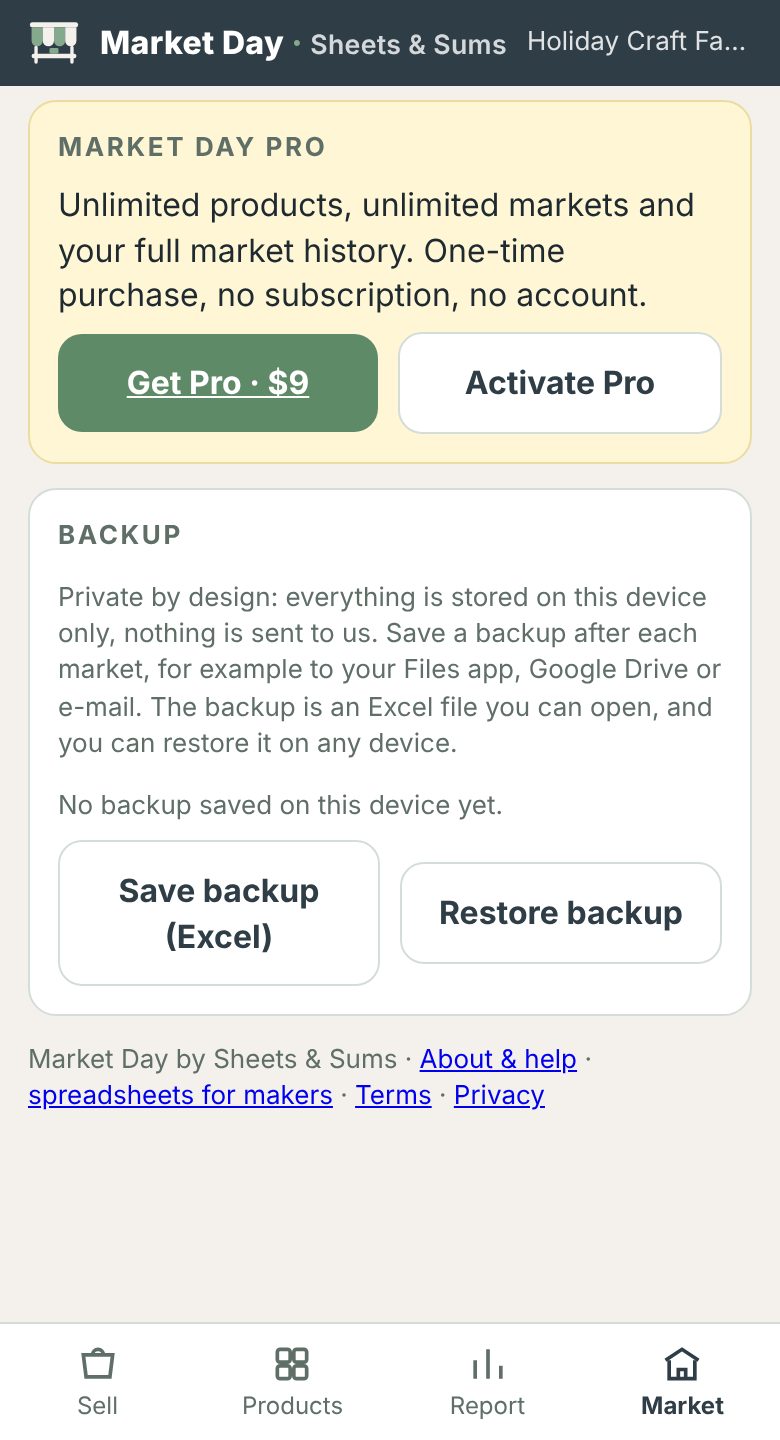
- No account, no sign-up. Open it and start selling.
- Your products and sales stay in your phone's browser. Nothing you enter is sent to us.
- No ads and no cookies in the app.
- You own the backup. Save it as an Excel file to your Files app, Google Drive or e-mail, open it in Excel and restore it on any device.
- Pro is checked once. When you activate Pro, your email and license key are checked with our shop provider; that's all.
To be fully transparent: our website counts anonymous page views with Cloudflare Web Analytics, which uses no cookies and no personal profiles. Details in our privacy policy. Because your data lives only on your device, clearing your browser data deletes it, so save a backup after each market.
Free to use. Pro when you grow.
The free version is the full app for one market at a time. Pro is a one-time purchase: no subscription, no account.
| Free | Pro · $9 once | |
|---|---|---|
| Tap-to-sell, cash/card/other, undo | ✓ | ✓ |
| Profit after costs and fees, cash in tin, sales by hour | ✓ | ✓ |
| Excel product import, Excel backup and restore, CSV export | ✓ | ✓ |
| Products | up to 15 | unlimited |
| Markets and history | one market at a time | unlimited, full history |
| Activations | not needed | 5 per key |
Questions
Do I need to download anything or make an account?
No. Market Day runs in your phone's browser at sheetsandsums.com/market. There is no account. Tip: add it to your home screen (iPhone: Safari › Share › Add to Home Screen; Android: Chrome › menu › Add to Home screen) so it opens like an app.
I use an iPhone. Anything I should know?
Yes: add Market Day to your Home Screen first (Safari › Share › Add to Home Screen) and always open it from there. On iPhone, the Home Screen app keeps its own data, separate from Safari, and Safari can clear data from websites you haven't opened for 7 days. The Home Screen app keeps it. And as always: save a backup after each market.
Does it work without signal at my stall?
Yes. Open it once with internet (best: add it to your home screen) and it keeps working offline. Every sale is saved on your phone straight away.
Where is my data stored, and what if I lose my phone?
Only in your phone's browser; nothing is sent to us, so we can't see or recover it. Save a backup (Market › Save backup) after each market. It's an Excel file you can keep anywhere and restore on a new phone in one tap.
Does Market Day take card payments?
No, it's your sales counter, not a payment terminal. Keep using your card reader; Market Day records whether each sale was cash, card or other and can take your card reader's fee percentage off your profit.
Can I set up my products in Excel?
Yes. Go to Products › Download product sheet, fill in names, prices, costs and how many you're bringing in Excel, Numbers or Google Sheets, and import it. Products with the same name are updated. CSV files work too.
Which currencies does it support?
USD, EUR, GBP, DKK, SEK, NOK, CAD, AUD, NZD and CHF.
How do I activate Pro?
After checkout, your personal license key is shown on your order page. In Market Day, go to Market › Activate Pro and enter the email you bought with and the key. It needs internet once, then works offline. Each key can be activated 5 times: once per device, and again if you clear your browser data. Restoring a backup re-activates Pro automatically and also counts as one.
Who makes Market Day?
Sheets & Sums, a small Danish maker of spreadsheets and tools for Etsy sellers and handmade businesses. Questions: hello@sheetsandsums.com.
Ready for your next market?
Set up your products tonight and sell with one tap tomorrow.
Open Market Day, free